Currency
Toggle Nav



![iPhone 13 Pro Internal Li-ion Battery Replacement A2656 3095mAh [Configuration Ready][Service Pack]](https://tphau.lanpx.com/media/catalog/product/cache/75c1f560e5fce4fbf4c3a6f5032a8bd6/i/p/iph-13p-batt-sc-250726.jpg)
![iPhone 16 Internal Li-ion Battery Replacement NA264 3561mAh [with Battery Sticker] [IECEE CB Certified]](https://tphau.lanpx.com/media/catalog/product/cache/75c1f560e5fce4fbf4c3a6f5032a8bd6/i/p/iph-16-batt-sc-250725.jpg)
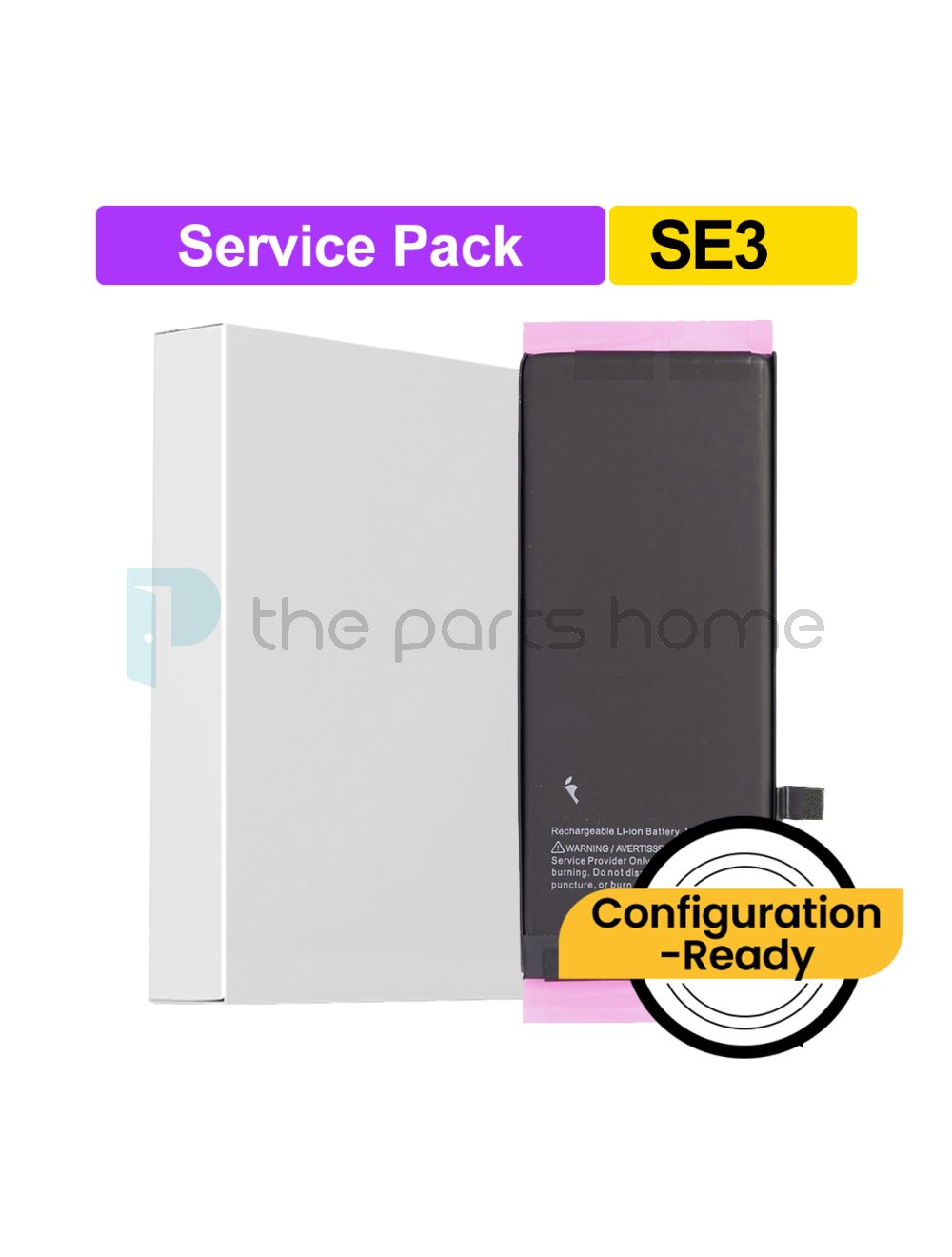
iPhone SE 2022 Internal Li-ion Battery Replacement A2819 2018mAh [Configuration Ready][Service Pack]
Login to check stock and price
SKU
IPH-SE3-BATT-SC
Steps to Install the Service Pack Battery
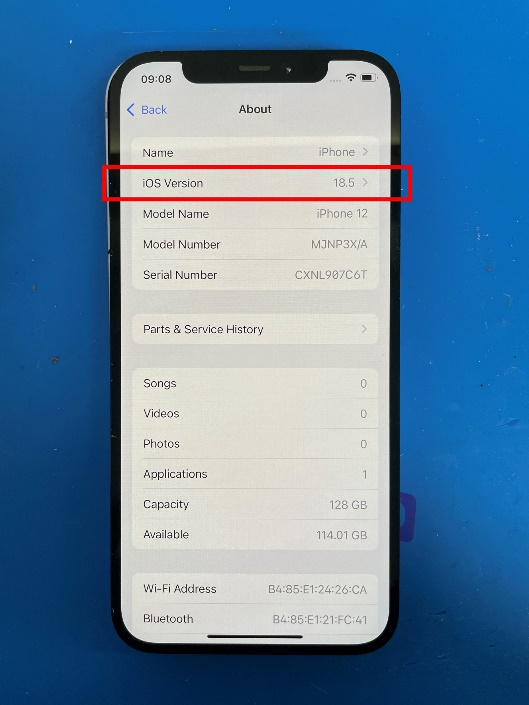
1.Ensure the device is updated to the latest iOS version and has at least 20% battery remaining.
For example: iOS 18.5 or later.
2.Install the service pack battery.
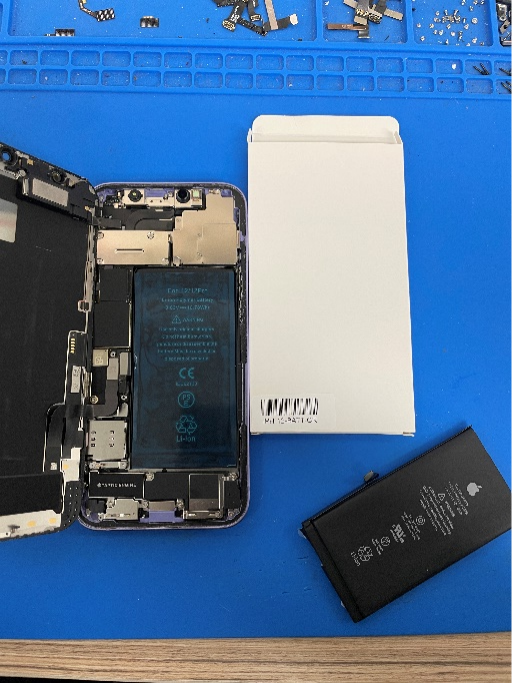
No spot welding or soldering is required
No need to install Tag-on flex
Follow standard installation procedures to ensure proper fit and connection.
3.Connect the device to a stable Wi-Fi network.
This is required for the repair authentication process.
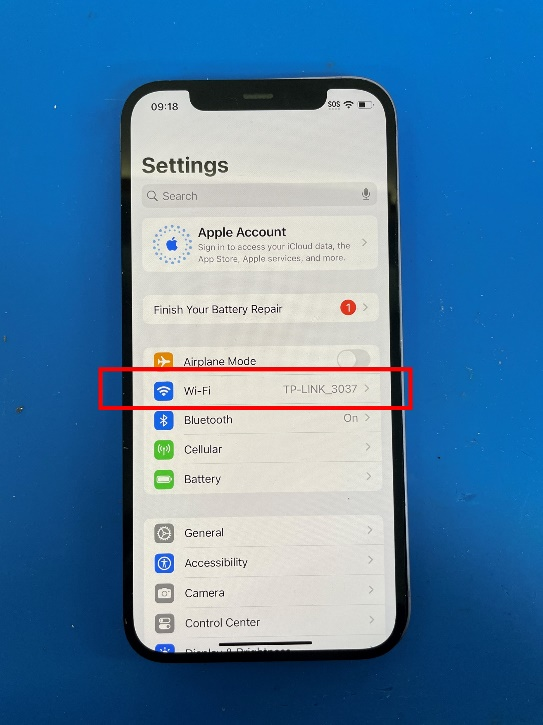
4.A prompt will appear: “Finish your battery repair.”
- If this prompt appears, tap it to continue.
- If you don’t see the prompt, go to:
Settings → General → About → Parts & Service History.
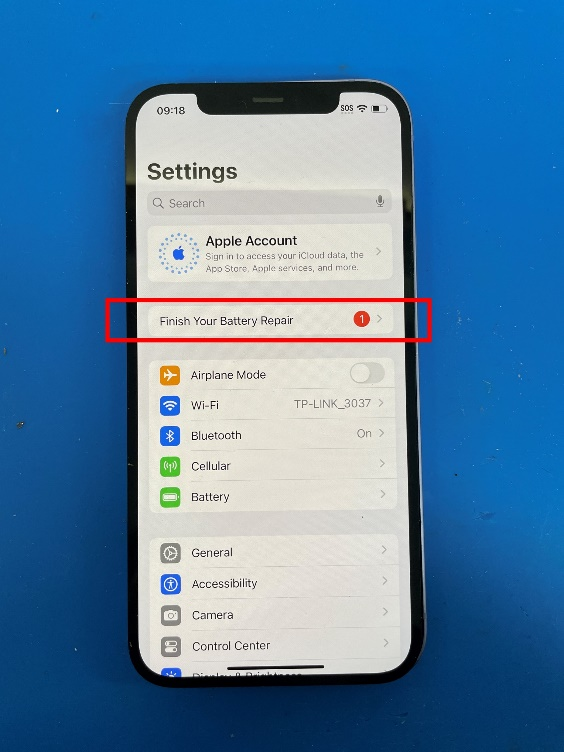
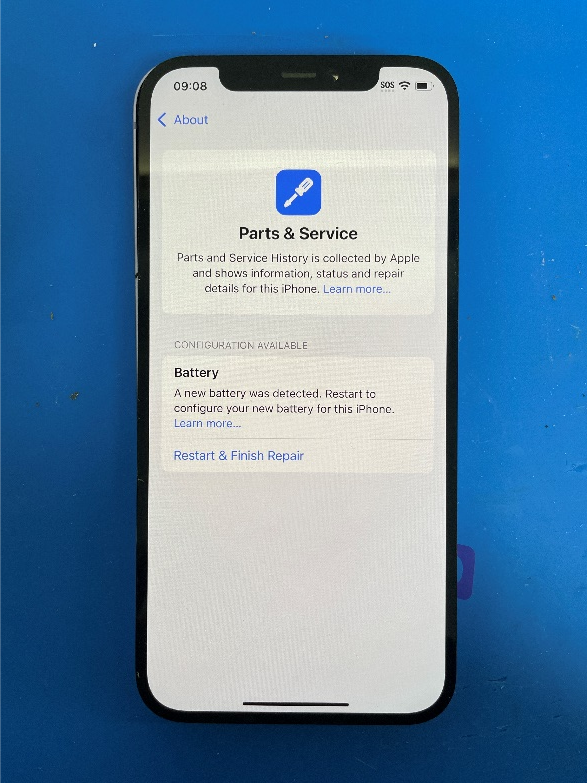
5.On the “Parts & Service” page, select
Restart & Finish Repair.
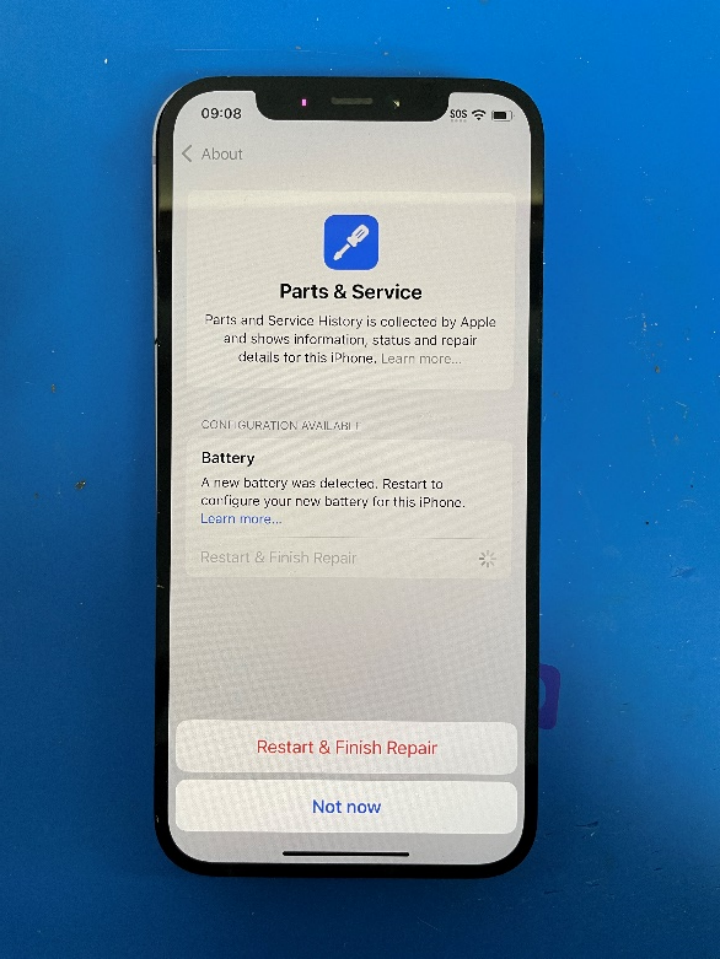
6.Follow the on-screen instructions in the Apple Repair Assistant.
This process may take a few minutes.
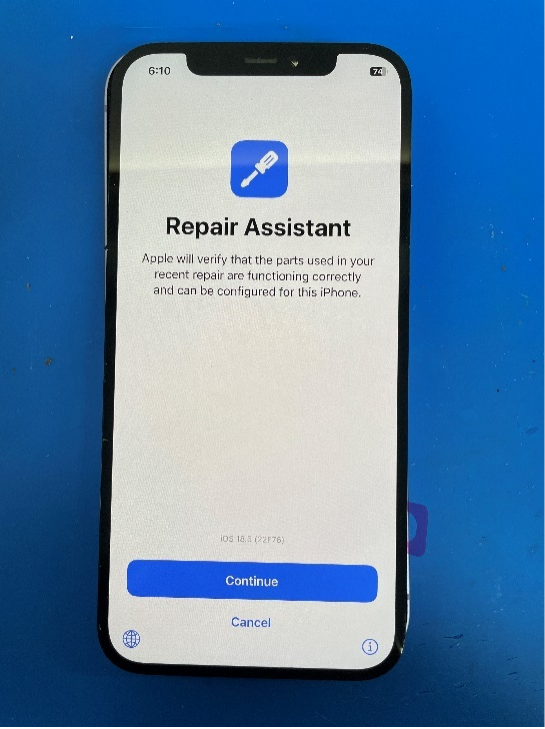
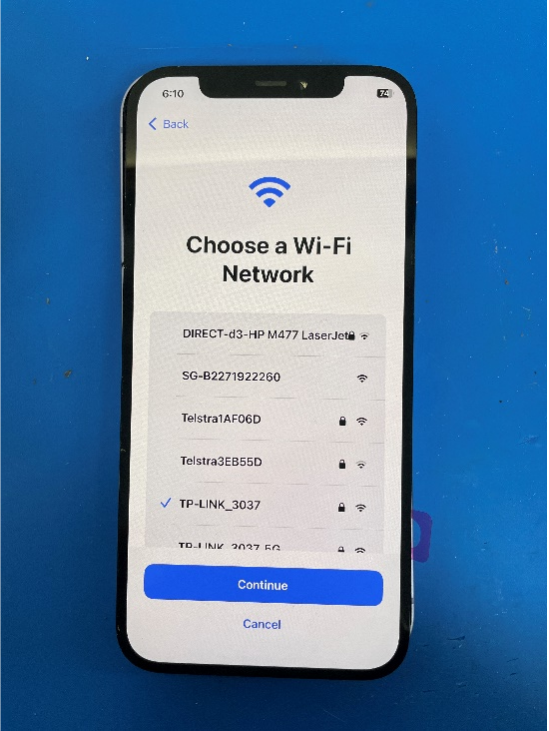
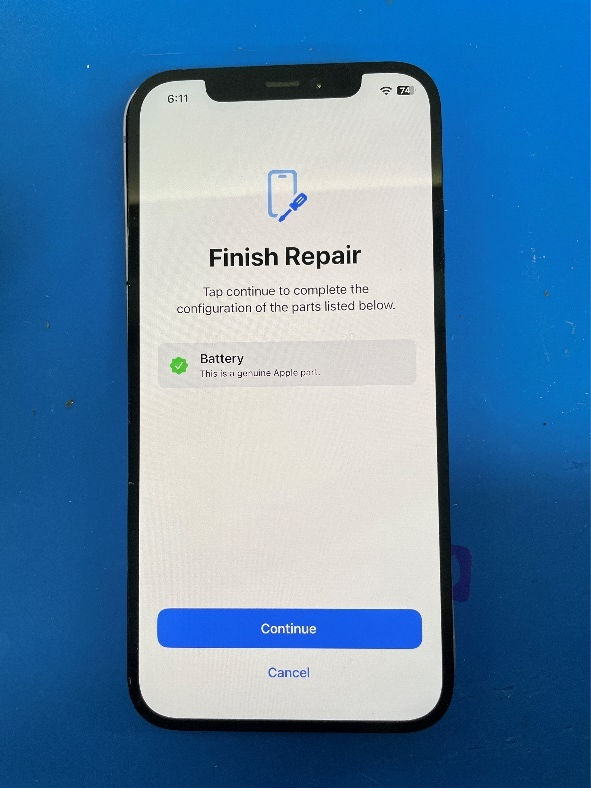
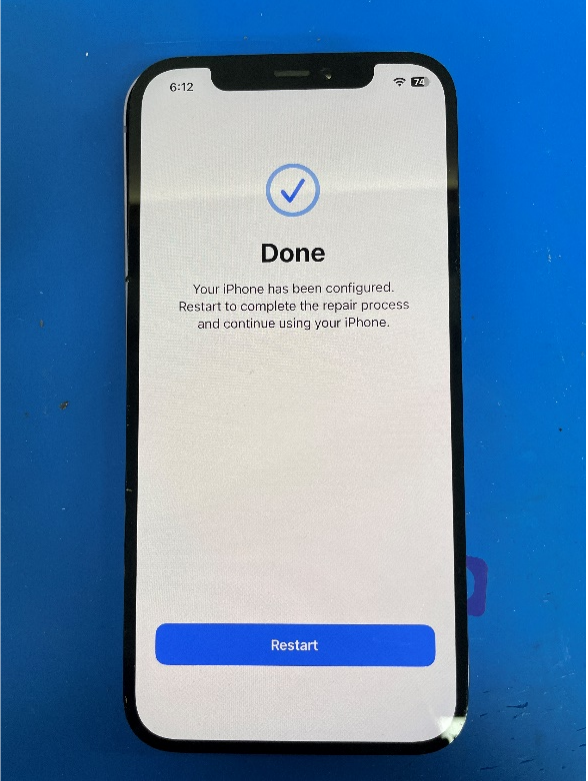
7.Once the device restarts and the process is complete:
- You should no longer see any warning or pop-up messages.
- Battery Health will display 100%.
| Part Category | Battery |
|---|---|
| Is on Sale | No |
Write Your Own Review
The information below is required for social login
Sign In
Create New Account